How to Program an Automatic Pet Feeder: Guide
You can absolutely program an automatic pet feeder to keep your furry friend fed. It’s a fantastic way to ensure your pet gets timely meals, even when your schedule gets crazy. We found that setting up these feeders usually involves simple button presses or a connected app to schedule feeding times and portion sizes for your pet.
Beyond just dispensing food, many modern feeders offer advanced features. You can often control feeding schedules remotely and monitor your pet’s eating habits. This technology is a lifesaver for busy pet parents, helping to maintain a consistent routine for your pet’s well-being.
- Automatic feeders dispense food on a set schedule.
- You can program feeding times and portion sizes.
- Many feeders allow remote control via smartphone apps.
- This helps maintain your pet’s consistent meal routine.
- It’s a great solution for busy or unpredictable schedules.
Ready to get started? Let’s walk through exactly how to program your automatic pet feeder step by step.
Setting Up Your Automatic Pet Feeder
Programming your automatic pet feeder is simpler than you might think. You can have your pet’s meals perfectly portioned and timed with just a few steps. We’ve found that most feeders fall into two main categories: manual button-based models and Wi-Fi connected smart feeders.
Understanding Your Feeder Type
First, figure out what kind of feeder you have. This will guide the entire setup process. Manual feeders rely on buttons directly on the device. Smart feeders connect to your home Wi-Fi and are controlled through a smartphone app. We’ll cover both, so you’re covered no matter what.
Manual Feeders: The Classic Approach
If your feeder has physical buttons and a small screen, it’s likely a manual model. Programming these is like setting an old alarm clock. You’ll typically use a “Set” or “Program” button, then arrow keys or a dial to adjust the time and portion size. Most research shows these are very straightforward.
Smart Feeders: App-Controlled Convenience
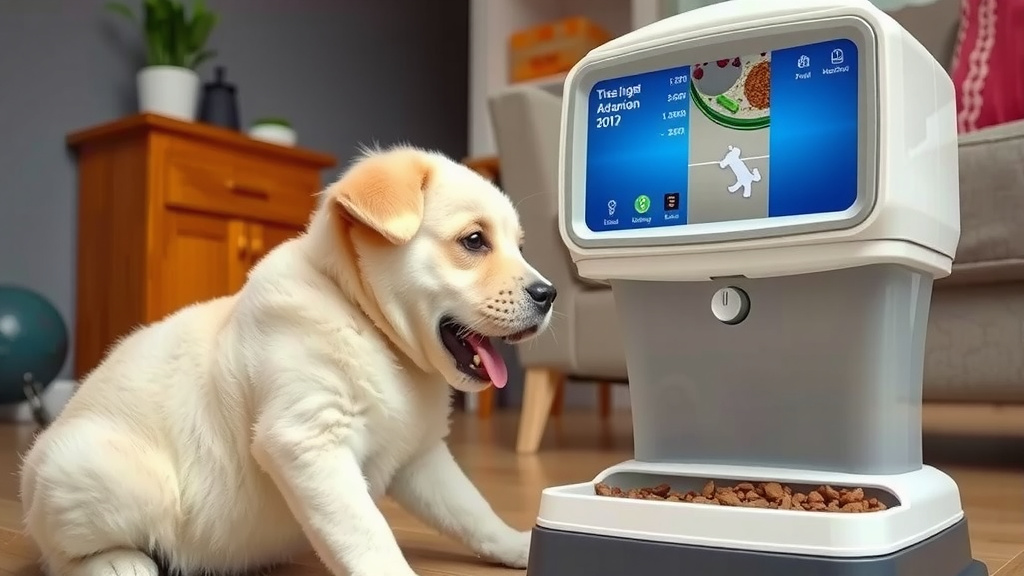
Smart feeders offer more flexibility. You’ll need to download a specific app from the feeder’s manufacturer. The app will guide you through connecting the feeder to your home Wi-Fi network. This usually involves entering your Wi-Fi password. Once connected, you can do everything from your phone.
Programming the Feeding Schedule
The core of programming is setting when and how much food your pet gets. This is where you tailor the feeder to your pet’s specific needs. Consistency is key for your pet’s health, and this feeder helps you achieve that.
Setting the Current Time
Before you set feeding times, always set the feeder’s internal clock to the correct current time. Many feeders won’t let you set meal times accurately if the clock is wrong. This is a common first step that many overlook. We found this simple step prevents a lot of confusion.
Defining Meal Times
You can typically program multiple meals per day. For instance, you might set a breakfast meal for 7 AM and a dinner meal for 6 PM. Some feeders allow you to set specific days of the week for certain meal schedules. This is great if your routine changes on weekends.
Adjusting Portion Sizes
This is where you control exactly how much your pet eats. Feeders measure portions in different ways, like “scoops,” “ounces,” or “grams.” Consult your pet’s food bag or your veterinarian for recommended portion sizes. Getting this right helps manage your pet’s weight. We found portion control is one of the biggest benefits.
Manual Feeder Portion Setting
On manual feeders, you’ll use buttons to select the number of portions for each meal. Look for buttons labeled “Portion,” “Amount,” or similar. You might cycle through options until you reach the desired amount.
Smart Feeder Portion Setting
With smart feeders, the app will usually have a clear slider or input field for portion size. It might show the amount in standard units like ounces or grams, making it easier to measure precisely. This precision can be a real advantage.
Advanced Features and Tips
Beyond basic scheduling, many feeders offer features to enhance your pet care. These can help you monitor your pet and manage their diet even more effectively. Research shows that these features can greatly improve pet owner satisfaction.
Using the Smartphone App (Smart Feeders)
The app is your command center for smart feeders. You can often get notifications when food is dispensed or if the feeder is running low. Some apps even let you manually dispense food on demand, which is handy if you’re running late or want to give a treat. We’ve seen owners love this on-the-go capability.
Feeding Schedules and Customization
Some advanced feeders allow for highly customized schedules. You might set a larger portion for one meal and a smaller one for another. You can often adjust these settings anytime through the app or the device itself. Think of it like a digital pet chef. Many sources suggest this flexibility is vital.
Troubleshooting Common Issues
If your feeder isn’t working, don’t panic! First, check the power source. Is it plugged in? Are the batteries fresh? For smart feeders, ensure your Wi-Fi is stable. Sometimes, simply restarting the feeder or your router can solve connection problems. Refer to your manual for specific error codes.
Checking Your Pet’s Eating Habits
Many smart feeders track how much food your pet consumes over time. This data can be incredibly useful for monitoring your pet’s health. If you notice sudden changes in eating patterns, it’s a good idea to consult your veterinarian. Early detection is always best.
Important Setup Checklist
Before you finalize your programming, run through this quick checklist:
- Current time is accurately set on the feeder.
- Meal times are programmed for your desired schedule.
- Portion sizes are set according to your pet’s needs.
- Feeder is securely placed and stable.
- Wi-Fi connection is strong (for smart feeders).
- You’ve tested a manual food dispense (if available).
Conclusion
You’ve now seen how programmable pet feeders simplify your life. Whether you have a manual or a smart feeder, setting it up for your pet is quite manageable. You can easily set feeding times and portion sizes to fit your pet’s diet and your schedule. This consistency is great for your pet’s health. Don’t forget to check your feeder’s setup against our checklist. Now, you’re ready to give your furry friend the gift of perfectly timed meals. Go ahead and program your feeder today!
Frequently Asked Questions
How do I know if my automatic feeder is a manual or smart model?
Manual feeders typically have physical buttons and a small built-in screen for settings. Smart feeders connect to your home Wi-Fi and are controlled using a smartphone app. We found this is the easiest way to tell them apart.
What should I do if my pet won’t eat from the automatic feeder?
Start by making sure the food portions are the correct size and palatable for your pet. You can also try placing a familiar toy or blanket near the feeder. We suggest manually dispensing some food first to help them associate it positively.
Can I use automatic feeders for pets with special dietary needs?
Yes, many automatic feeders allow precise portion control, which is essential for managing special diets. Always double-check the feeder’s specifications to ensure it can dispense the correct amounts and types of food required for your pet’s specific needs.
How often should I clean my automatic pet feeder?
We recommend cleaning your automatic feeder at least once a week, especially the food storage and dispensing areas. This helps prevent mold and bacteria growth, ensuring your pet always eats fresh food. Always unplug the feeder before cleaning.
What happens if the power goes out while using an automatic feeder?
Many automatic feeders have a battery backup option. If your feeder has batteries installed, it should continue to dispense food on schedule during a power outage. For smart feeders, you might lose remote access but programmed meals should still activate if they have battery power.